Online Expression of Interest submissions
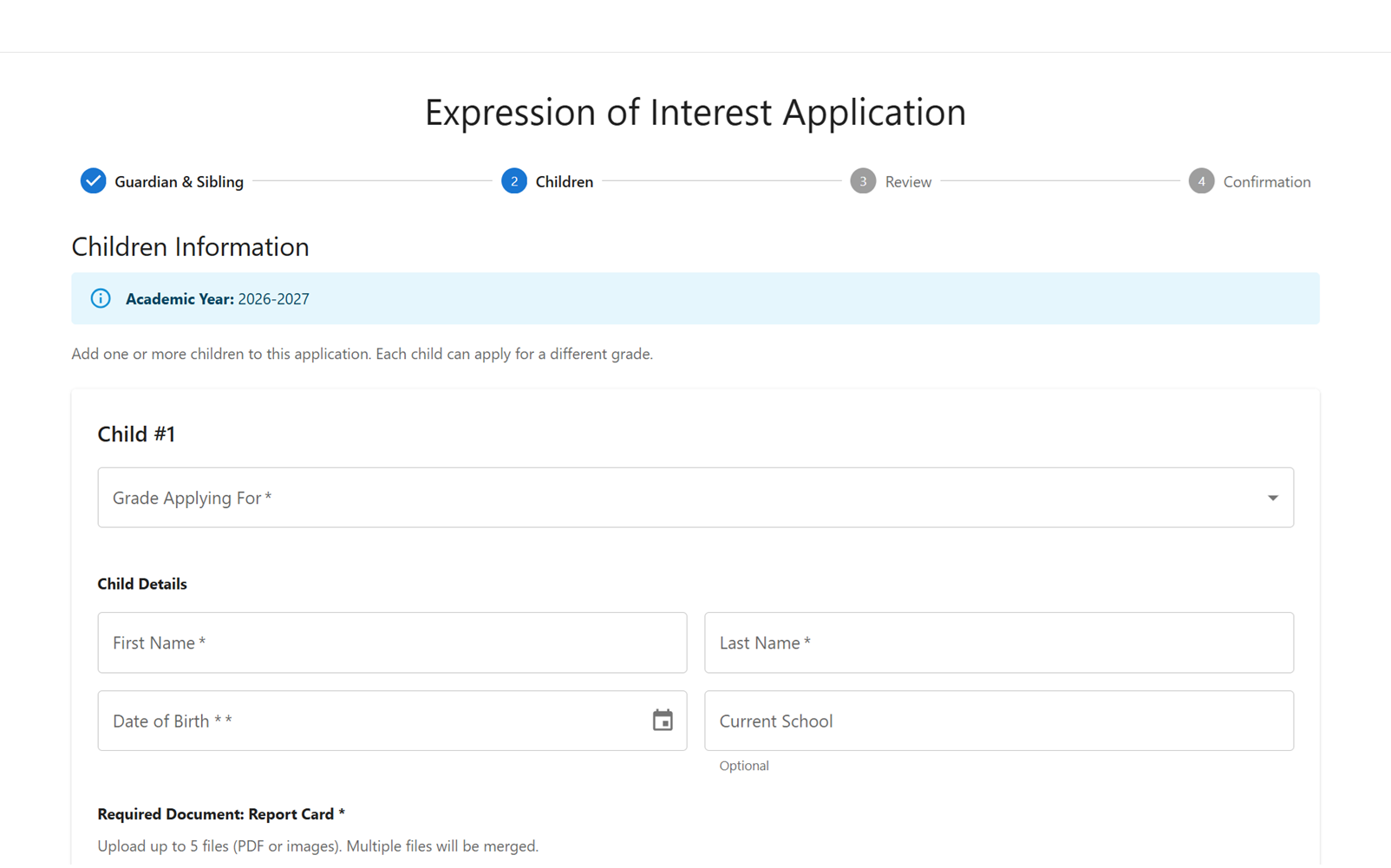
Collect the details schools need before a family enters the intake queue.
Features
Eqra focuses on the practical work around Expression of Interest submissions, parent access, communication, documents, queue review, priority, waitlists, capacity, fees, and reporting.
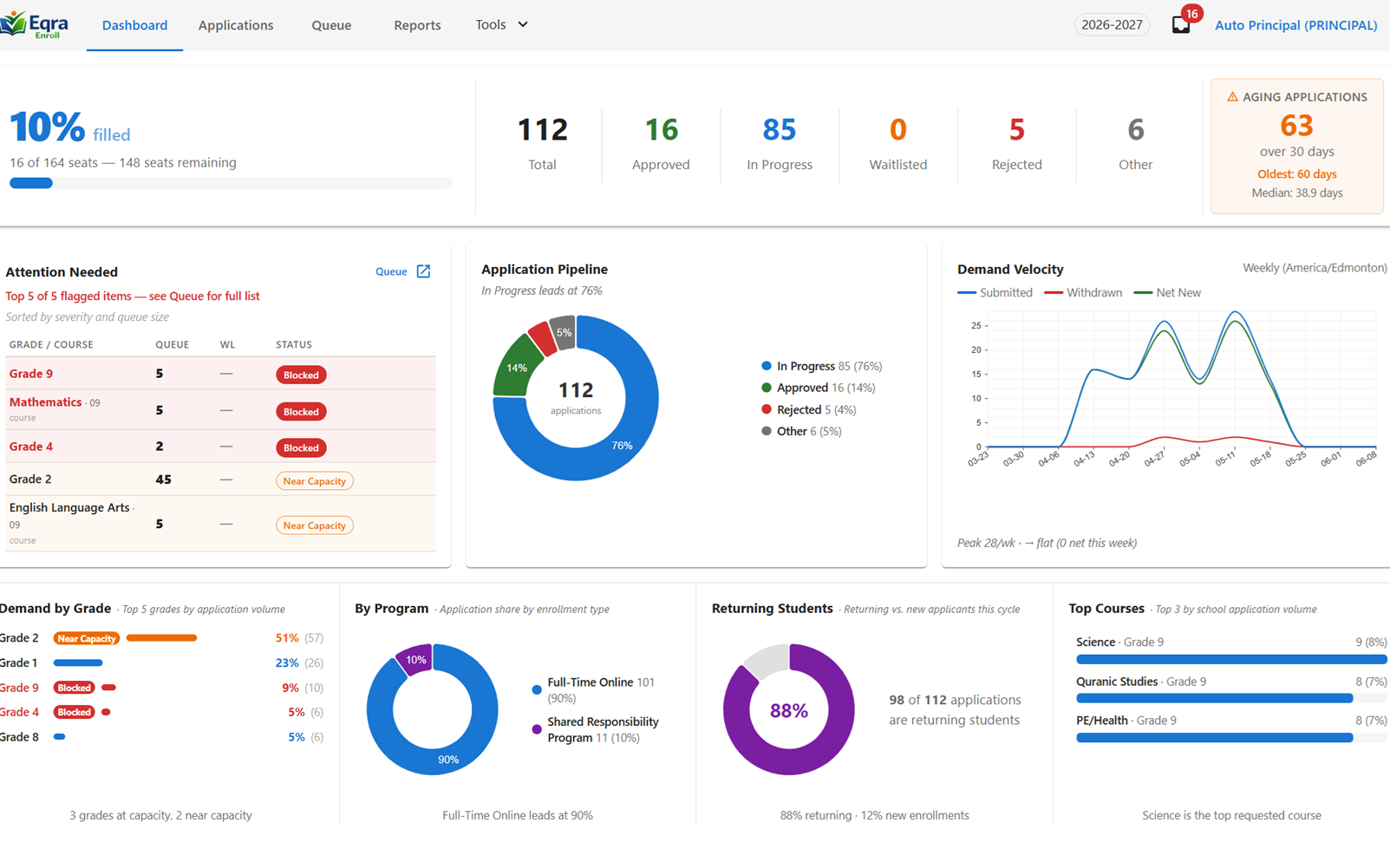
Principal View
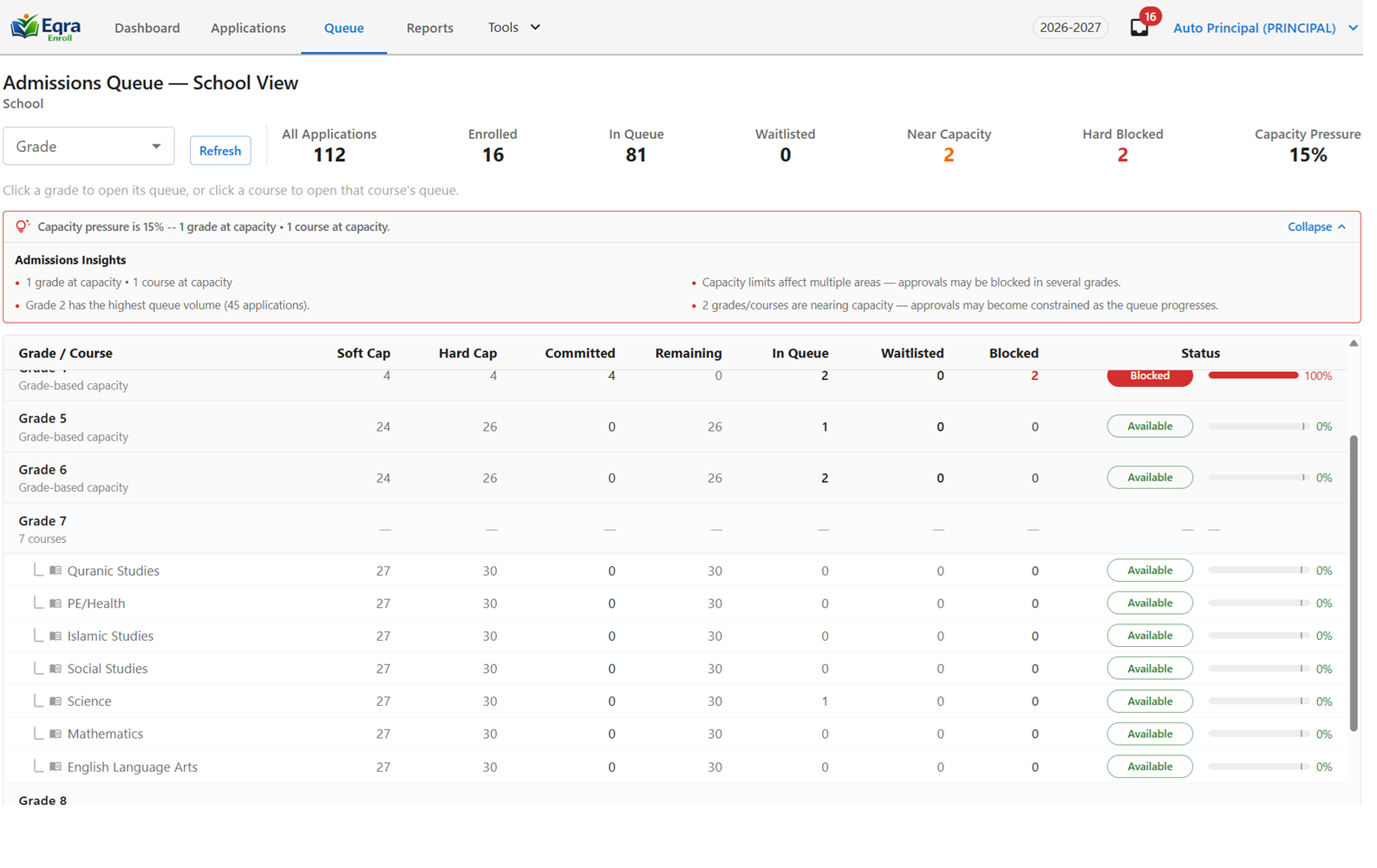
Intake activity at a glanceCapacity signal
Enrollment trendsParent intake
Collect the details schools need before a family enters the intake queue.
Give families a clear way to return to the application without starting over.
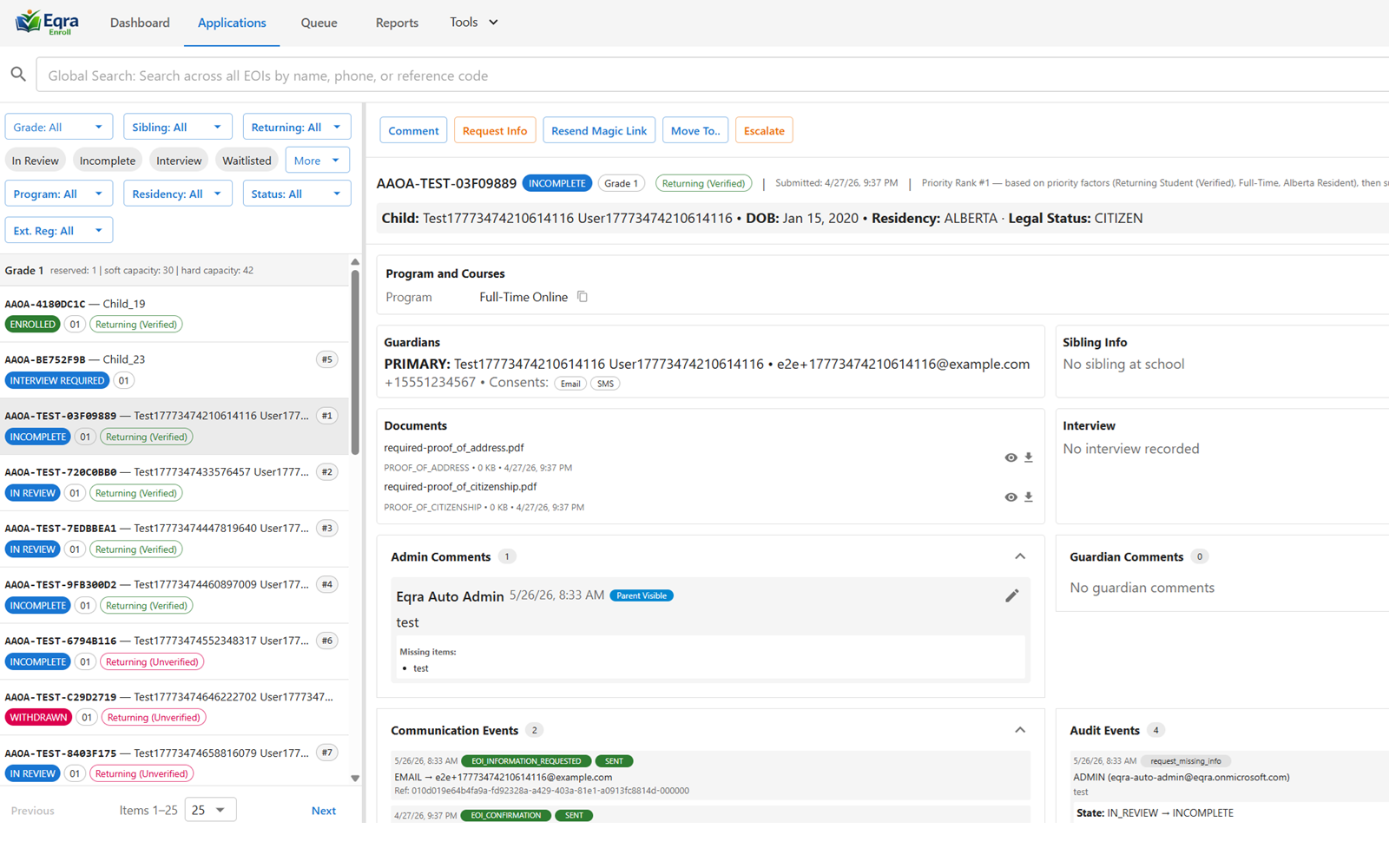
Keep messages and follow-up connected to the application record.
Ask for missing details without scattering requests across inboxes.
Track required files, missing documents, and staff follow-up in one workflow.
Adapt questions and required fields to the school, program, grade, or intake model.
Staff workflow
Support K-9, High School, in-person, Shared Responsibility Program, and other school-specific processes.
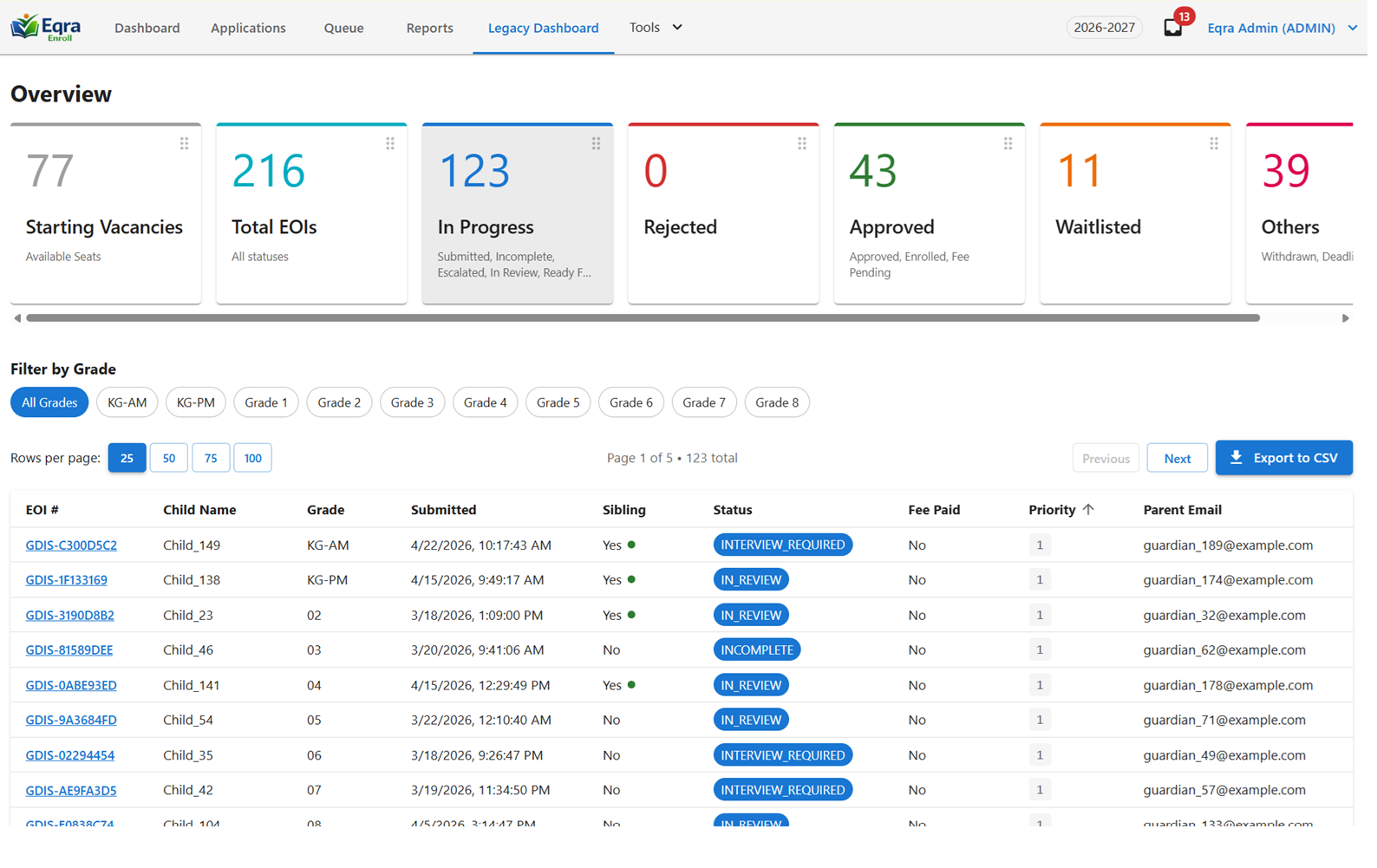
Give administrators a working view of submissions, status, tasks, and follow-up.
Give leadership a focused view of queue progress, intake pressure, and decision readiness.
Organize applications by readiness, status, priority, and next action.
Track requests, updates, messages, and workflow events for clearer accountability.
Represent sibling priority, program rules, policy order, and other local review logic.
Operations and visibility
Track families waiting for space and keep movement visible as seats change.
See grade-level or program-level intake pressure while staff review applications.
Record fee status where it supports intake follow-up and operational visibility.
Create clearer views of progress, workload, queue status, and operational needs.
Keep staff access aligned with the work each role needs to perform.
Support organizations that need to manage more than one school or campus context.
Built around intake operations
A demo is the best way to map Eqra to your forms, parent access, staff roles, school model, and reporting needs.